Initiate deposit notifications via App
Deposit notification portal
「App > Accounts > Any Account > Transfers > Deposit > Choose deposit currency > Confirm debit bank account and deposit method > Fill in information > Notify Futu to collect payment」
If the deposit notice is not issued for more than 20 calendar days, the fund may be returned by the bank.
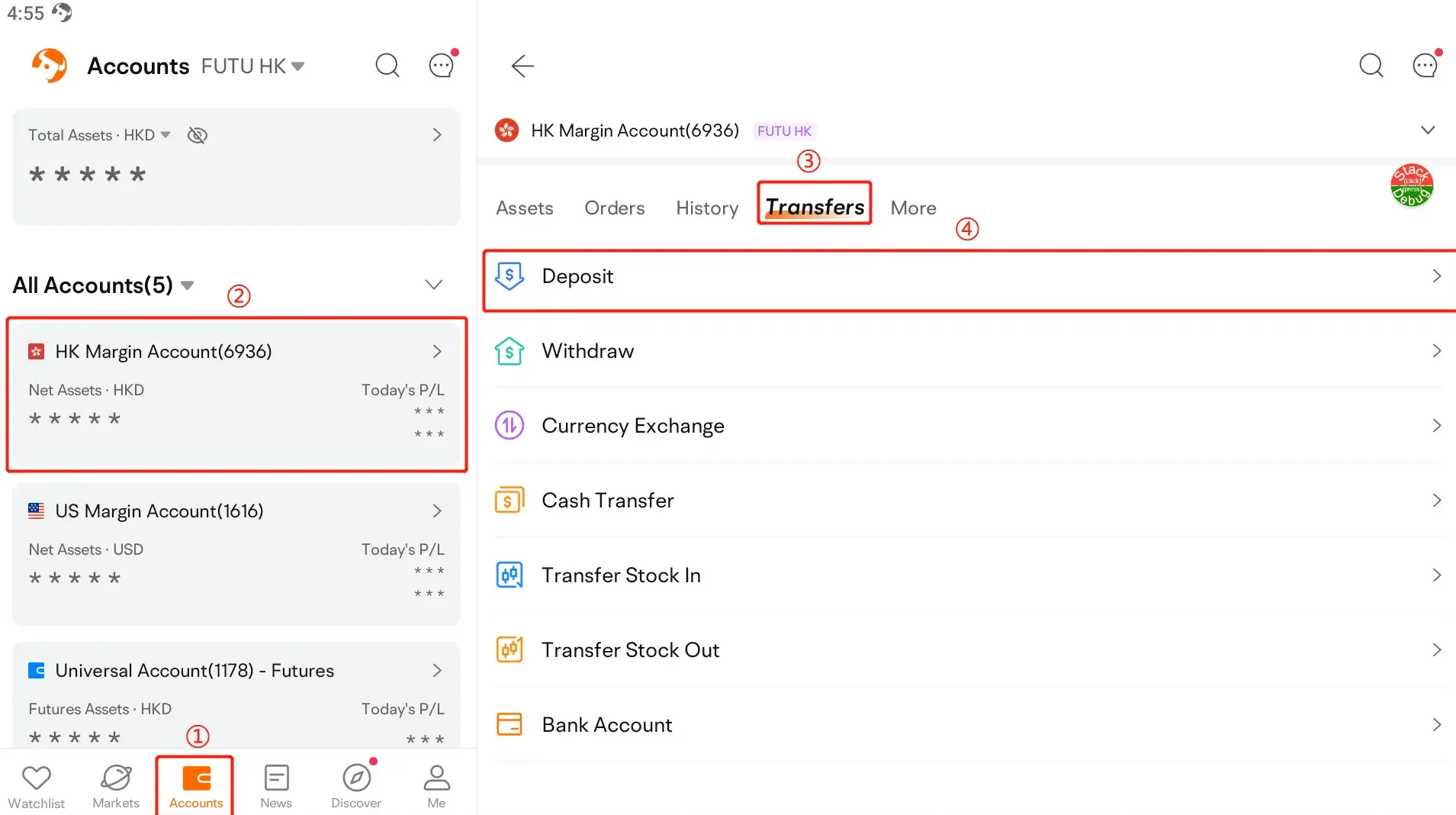
Notes:
1. Due to the need to check the information, please select or fill in according to the actual remittance bank and amount to avoid extending the deposit time;
2. Bank-Securities Transfer: China Merchants Bank Hong Kong Branch, China Minsheng Bank Hong Kong Branch, no need to notify Futu of the payment.
3. Please separate multiple notifications for multiple deposits.